
1. Use the plan, and consider what else you know
A missed check-in means the expected action has not been received by the deadline. It does not tell you why. The person may be out, asleep, busy, away from the phone or offline. Those possibilities do not establish that everything is fine either.
If you have a specific reason to think someone is in immediate danger, contact local emergency services directly. Do not wait for a grace period, another reminder or an app update. The routine below is for an unexplained missed check-in when there is no known immediate emergency.
Check which person and date the message concerns, and when it was sent. A delayed email may refer to an earlier deadline. If there is a paired dashboard, look for a later received check-in, while remembering that an app record is not a health assessment.
2. Contact the person using your usual route
Call or message the person using the number you have already agreed. Say what you noticed without blame: “I haven’t seen today’s check-in. Can we speak when you see this?” If they answer, find out whether they simply forgot, were away from the phone or had a technical problem.
If they do not answer, follow the agreed backup route. That might mean calling another family member or a trusted nearby person who has agreed to help. Confirm who is taking responsibility so that everyone does not assume someone else is following up.
There is no universal safe number of minutes to wait. The plan should reflect the person’s circumstances and any advice from their own care professionals. A scheduled signal is not a reason to delay seeking help when other information is worrying.
3. Distinguish an offline save from a received check-in
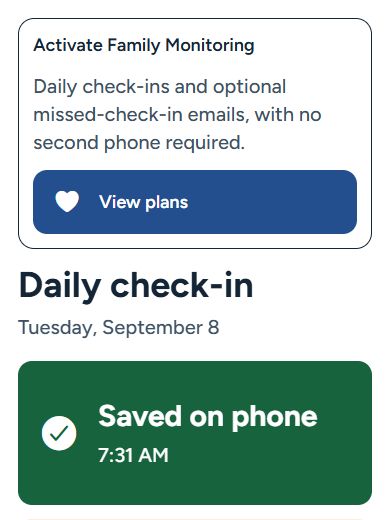
The older adult may say “I pressed it” and still be telling you something different from “the service received it”. Senior Companion shows an offline save separately from online confirmation.
A saved check-in must sync before it can appear on the paired family phone. A check-in that has not reached the server may still result in a missed-check-in email. Help the person check the status message and internet connection. If you have confirmed they are all right by speaking to them, deal with the phone setup afterwards.
The dashboard’s battery report also has a timestamp. A value reported earlier is not the phone’s current battery level. Avoid using it, or an old check-in, as proof of someone’s present condition.
4. Write a short family follow-up plan
Complete this together before relying on the routine. Keep a private copy where the responsible people can find it. Review it with the older adult whenever their wishes or circumstances change.
Our agreed check-in plan
- Usual check-in time and time zone
- Write the time, reminder settings and agreed grace period.
- First person responsible
- Name who notices a missed check-in and how they will call or message.
- Backup contact
- Name a second person, confirm their agreement and record their usual number privately.
- If nobody answers
- Agree who will assess the situation and arrange appropriate local help. Do not make the app the only way to reach someone.
- Changes and exceptions
- Agree how to handle travel, appointments, a flat battery or an unavailable family member.
- Review date
- Choose when to ask whether the routine is still useful and comfortable.
This is a communication template, not a clinical escalation protocol. If the person needs urgent-response support, discuss a suitable service separately.
5. Fix recurring causes without adding pressure
Once you have made contact, review the practical cause together. Was the deadline unrealistic? Were reminders disabled? Did the phone lose connectivity? Was the alert recipient away? Check both the local reminder schedule and the separate email-alert deadline and time zone.
If an expected email did not arrive, review the verified address, active monitoring status, spam folder and delivery status in the app. An active subscription alone does not configure the recipient or guarantee delivery. Use the setup guide to go through the two routes again.
If the routine repeatedly creates anxiety or is hard to use, change it together. A regular call, a visit or a different support arrangement may be more suitable. Our service comparison explains what a voluntary check-in does and does not provide.
A small check-in. A closer connection.
Set up the routine together
Follow the Android and iPhone setup guide, or compare the two setup options. The app is free to download. Daily check-ins and connected family services require Family Monitoring. Review the plans and regional example prices. No hardware purchase is needed.