
Different tools answer different questions
A daily check-in asks, “Has the agreed action been received?” An emergency-response arrangement asks, “How can someone request or receive urgent help, and who will respond?” A family may need both. One is not an upgrade tier of the other.
The NHS describes several kinds of personal alarm: some alert people nearby, some contact family, and monitored alarms can alert a 24-hour service. Fall detection is a separate capability that some products offer. Do not assume every alarm includes a response centre, fall detection or automatic emergency dispatch.
Compare the practical differences
| Question | Senior Companion daily check-in | Emergency alarm or response service |
|---|---|---|
| What starts it? | A voluntary “I’m OK” action, or an optional email after a missed scheduled check-in. | A help button, sensor or other trigger, depending on the product. |
| Who follows up? | The chosen family member or caregiver, under your own agreement. | A named contact or monitoring centre, according to the service contract. |
| Is there a 24-hour operator? | No. “Family Monitoring” is the app subscription name, not continuous professional supervision. | Only if the selected service includes one. Confirm coverage and operating hours. |
| Does it detect falls? | No. | Some products offer fall detection. Ask how it works and what it can miss. |
| Does it contact emergency services? | No automatic emergency dispatch. | Ask the provider who is contacted and under what conditions; this varies. |
| What happens offline? | A local save must sync before family can see it. Check-ins and emails may be delayed or fail. | Check the actual power, internet, landline or mobile-network requirements and backup arrangements. |
Questions to ask before paying
- What action or event triggers a message, and who receives it?
- Who is available to respond when family is asleep or away?
- Which features are included in the ongoing price, and what needs separate setup?
- What are the power and connection requirements, and what backup exists?
- How is a real incident followed up, and what are the service’s limitations?
- Can the person comfortably use the controls and understand the confirmation?
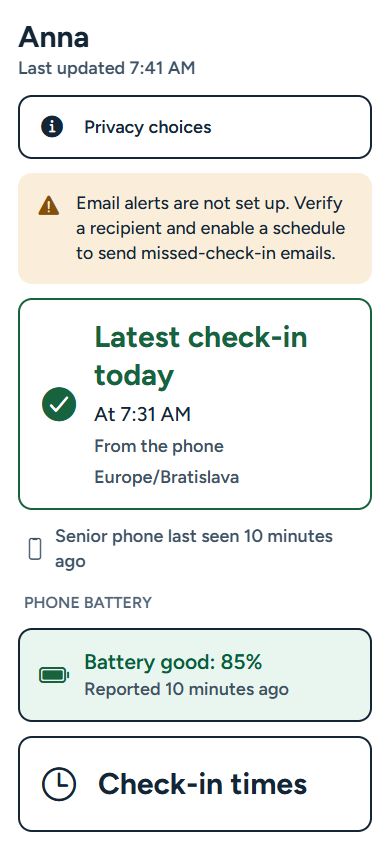
For Senior Companion, the app is free to download, but daily check-ins and connected family services require Family Monitoring. Review the subscription plans; prices vary by store and region. The setup guide explains the separate email and paired-dashboard routes.
If you are considering urgent-response support, check the provider’s current terms and discuss the person’s needs with an appropriate care professional. This comparison does not assess which arrangement is suitable for a particular person.
A small check-in. A closer connection.
Set up the routine together
Follow the Android and iPhone setup guide, or compare the two setup options. The app is free to download. Daily check-ins and connected family services require Family Monitoring. Review the plans and regional example prices. No hardware purchase is needed.