
One sibling assumes another has called. Someone sees a message but cannot respond. Everyone wants to help, yet nobody is sure who should take the next step.
Choose a First Contact and a Backup
Agree who normally follows up when the expected check-in is missing, and who takes over if that person is unavailable.
This does not have to fall permanently on one sibling. Work schedules, time zones and other responsibilities can change. Choose an arrangement people can realistically maintain.
Make the agreement with your parent, not just about them.
Separate a Check-In From a Conversation
A daily “I’m OK” update and a proper conversation serve different purposes.
The check-in is a small, intentional signal. A call gives you time to listen, share news and ask questions.
Keep both. A check-in routine should support your relationship, not become a reason to stop calling.
Agree What Happens When There Is No Update
Decide in advance who will try calling, what happens if that person cannot get through, and which trusted local contact may be approached.
A missing check-in is not a diagnosis or proof that something is wrong. Equally, a received check-in does not establish someone’s current health or safety.
The aim is to make family communication clearer, not to create a guarantee.
Where Senior Companion Fits
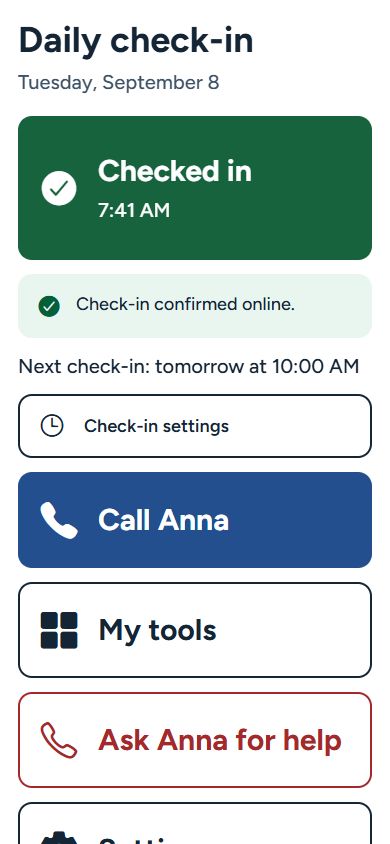
Senior Companion is available for Android and iPhone. The person checking in taps “I’m OK”; a received online check-in can appear on a paired family phone. Optional missed-check-in emails require a verified recipient and an enabled schedule.
The app provides the signal. Your family agrees who follows up.
Daily check-ins and family monitoring require a paid Family Monitoring subscription. No physical button is needed.
Senior Companion is not a medical device or an emergency-response service. Check-ins and alerts depend on setup, connectivity and service availability and may be delayed or fail.
Explore Senior Companion
Available for Android and iPhone. Review Family Monitoring and regional pricing before purchasing.